
Tennis Club Member Onboarding: The 4-Step Retention Workflow
2026-08-09 · 7 min read
Most tennis clubs lose new members before they book their third session. Here's the four-step onboarding workflow — waiver capture, activation sequence, NTRP skill matching, and 90-day behavioral automation — that runs without staff involvement.
Most tennis clubs sell a great membership. Then the new member goes home, checks the website once, and doesn't know where to start. Three weeks later, they've played twice, paid a month's dues, and quietly stopped coming. By month two, they're gone.
The problem isn't the courts or the programming. It's the gap between membership sold and member activated.
The first 90 days determine whether a new tennis member becomes a regular or a churn statistic. Clubs with a structured onboarding process retain significantly more new members past the three-month mark — 85% vs. 68% without one.<sup>[1]</sup> Members who play fewer than four times in their first month face an 80% chance of canceling.<sup>[2]</sup>
The four-step workflow below closes that gap — and runs mostly on its own once it's configured in your [tennis club management software](/blog/tennis-club-management-software-guide).
Why New Tennis Members Disappear Before Month Two
US tennis participation grew to 27.3 million players in 2025, the sixth consecutive year of growth.<sup>[3]</sup> More than half of those players — 53% — are "core players" who play 10 or more times per year. That's the segment every club wants: players who book consistently, pay reliably, and refer friends.
The difference between a new signup who becomes a core player and one who churns inside 60 days is almost always the first four weeks. Players who book their first session within seven days of joining typically stay. Players who don't book by Day 14 rarely do.
Most clubs don't have a structured plan for those 14 days. A welcome email goes out. Then nothing. Then a renewal notice 11 months later.
Step 1 — Lock In the Waiver at Signup
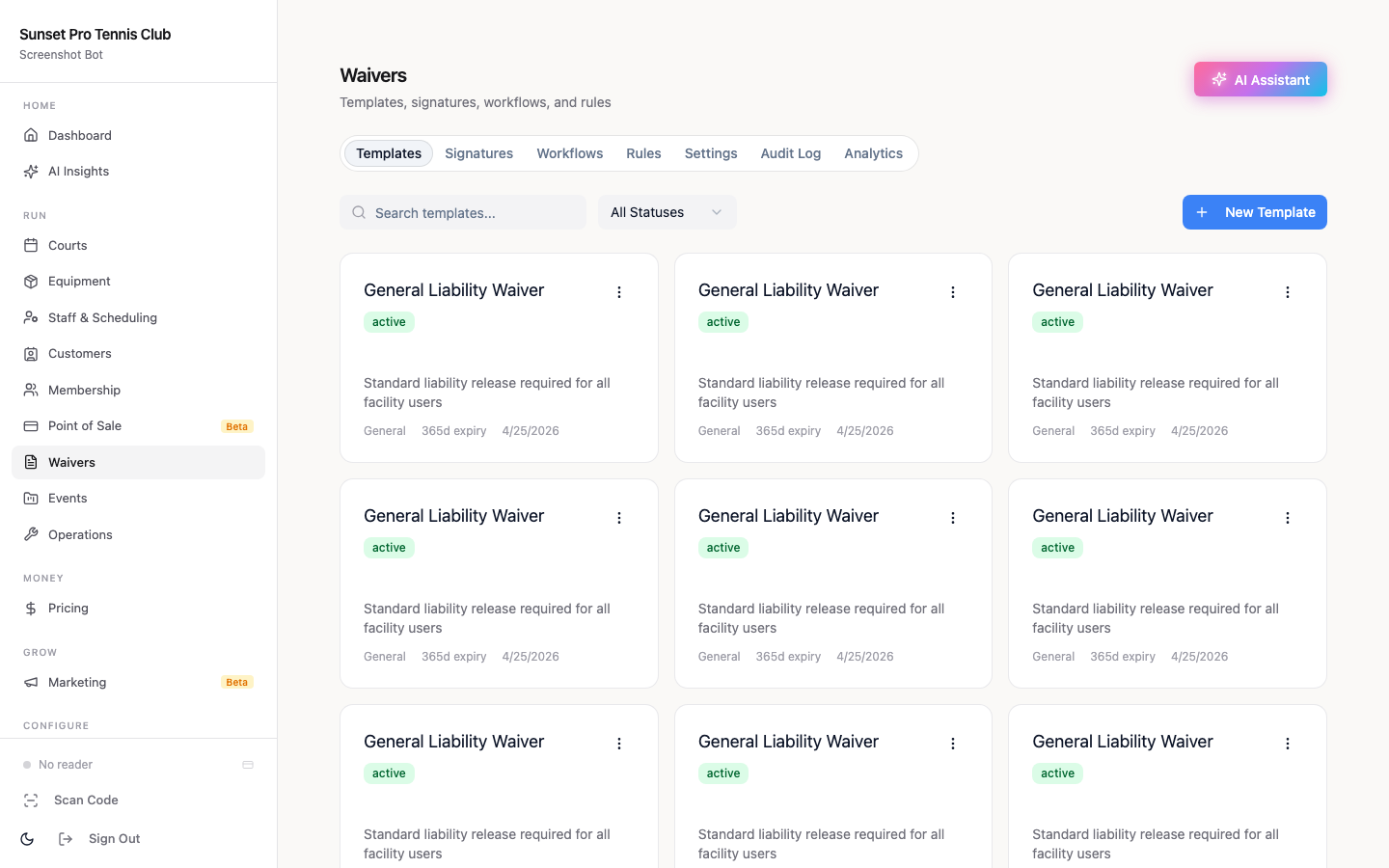
The waiver is more than a liability document. It's the first real action a new member takes with your club software — and the right moment to collect two pieces of information you'll need for the entire onboarding: emergency contact and NTRP skill level.
Most clubs send the waiver a week after signup, in a separate email, with a different login. Half of new members never complete it. The other half click through once, get confused, and close the tab.
Better approach: require waiver completion at checkout, inline, before the membership confirms. No waiver — no access to the booking page. The software enforces this without any staff action.
The NTRP self-rating collected here (1.5–7.0 scale) becomes the profile tag in Step 3 that controls which sessions the new member can access. Collecting it on Day 0, when enthusiasm is highest, means you don't have to chase it down later through a separate form.
For a deeper look at digital waiver configuration and audit trail requirements, see [Tennis Club Digital Waivers: What Clubs Need](/blog/tennis-club-digital-waivers).
Step 2 — The Activation Booking Sequence (Days 0–7)
Getting the first booking is everything. The goal of the first week isn't upsell — it's activation.
A four-message sequence that works:
Day 0 — Welcome (send within 10 minutes of purchase): Link directly to the booking calendar, not the homepage. "You're in. Here are open courts for this week" with a link that drops the member straight into availability. Members who have to click three times to find a bookable slot often don't.
Day 1 — Nudge (if no booking made yet): "Your courts are ready — here are the open slots for this week." One call to action, direct link to availability.
Day 3 — Open play intro (if still no booking): Tell them specifically which open play sessions they're eligible for and what to expect. "Tuesday evening is our Intermediate open play — 3.0–3.5 NTRP, 8 spots, usually 4 left by now." Specific beats generic.
Day 7 — Check-in: A brief one-liner from the club asking how the first week went, with a reply-to address. Many clubs see responses here that reveal specific friction points — a confusing booking flow, uncertainty about which session fits their level, or not knowing where courts are located.
Once a member books their first session, the sequence stops. No need to keep nudging someone who's already active. For more on how automated reminders integrate with court bookings, see [How to Reduce No-Shows at Tennis Courts](/blog/how-to-reduce-no-shows-tennis-courts).
Step 3 — Match New Members to the Right Session by NTRP Level
The most common reason new members don't come back is a bad first experience — and the most common cause of a bad first experience is a skill mismatch. A 3.0 player who books an advanced open play session and gets outmatched for 90 minutes isn't returning.
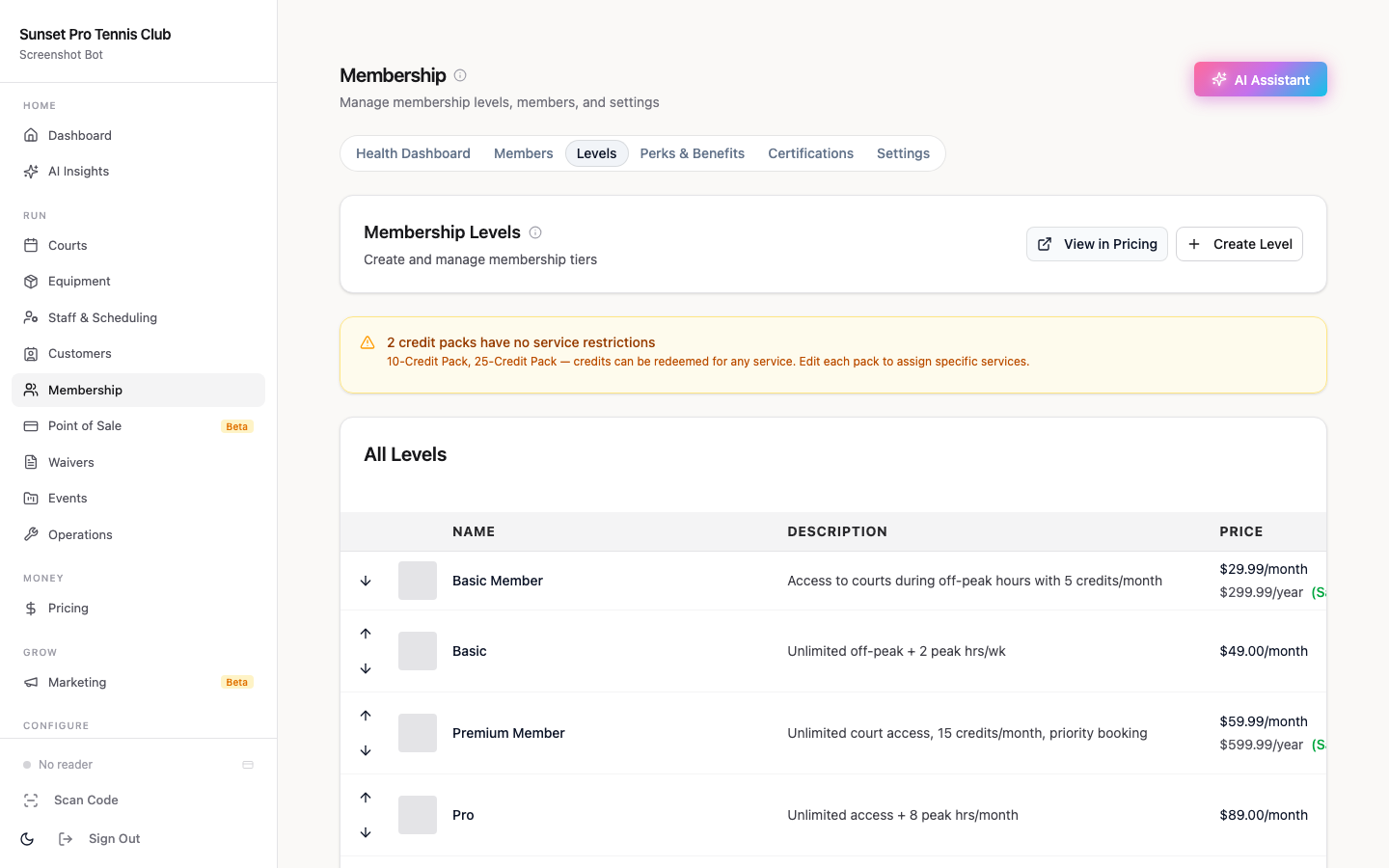
The NTRP self-rating collected at signup becomes a profile tag in your booking system. That tag controls which session types the member can access at checkout.
A practical three-tier structure for most clubs:
| Session type | NTRP range | Notes |
|---|---|---|
| Beginner / Social | 2.5–3.0 | Rotational doubles, slower pace |
| Intermediate | 3.0–3.5 | Most of your membership |
| Competitive | 4.0+ | Players who know competitive scoring |
When a member who self-rated 3.0 tries to book the 4.0+ competitive session, the system declines it at checkout with an explanation pointing to the Intermediate option. No staff intervention needed.
Include tier eligibility in the Day 0 welcome email so new members know immediately what they can book, rather than discovering it as a rejection at checkout. For more on how session-type gating works with open play, see [Tennis Club Open Play & Drop-In Management Software](/blog/tennis-club-open-play-drop-in-management).
Step 4 — Behavioral Triggers Through Day 90
After Day 7, shift from a calendar sequence to event-based triggers. Calendar sequences keep firing even when members are already engaged; triggers don't.
A few that work well in practice:
- "No booking in 10 days" → Automated message with current court availability and the upcoming open play schedule - "5 sessions attended" → Invitation to the next round-robin or social mixer — the transition from casual player to club regular - "Day 30 of membership" → A short check-in from the club, not a template — a real brief email or text from the director - "No social event attendance in first 60 days" → A single, targeted invitation to the next mixer
The 90-day window is when attendance habits form or don't. A member who plays eight times in their first 90 days is a very different retention prospect than one who played twice. Triggers keep the club visible during drifts without requiring a staff member to manually monitor who's going inactive.
For the longer-term retention playbook beyond 90 days, [Tennis Club Member Retention Software: What Works in 2026](/blog/tennis-club-member-retention-software) covers the ongoing signals and automation patterns that keep active members engaged.
Which Platforms Handle This Automatically
Orhuk manages the entire four-step sequence in one system — inline waiver at checkout capturing NTRP self-rating, automated post-purchase email sequences, member profile tag-based session gating, and behavioral trigger logic. Free plan included; no setup fee; clubs typically go live the same day. The full [tennis club management guide](/blog/tennis-club-management-software-guide) covers how the onboarding workflow integrates with court booking, memberships, and analytics.
CourtReserve provides strong scheduling automation and a dedicated player onboarding guide. Pricing starts around $199/month. Behavioral trigger sequences require additional configuration beyond the standard onboarding flow.
PlayByPoint has a clean member-facing UI and built-in community features including matchmaking, which helps with the skill-pairing problem in Step 3. Custom pricing; onboarding configuration is handled per club setup.
Hello Club explicitly advertises automated member onboarding — self-registration portal, automated welcome flow, and membership renewal automation. Pricing scales by member count; free tier available for smaller clubs.
Related guides - [Tennis Club Management Software: The Operator's Buying Guide](/blog/tennis-club-management-software-guide) - [Tennis Club Member Retention Software: What Works in 2026](/blog/tennis-club-member-retention-software) - [How to Convert Tennis Club Guests into Members](/blog/tennis-guest-to-member-conversion-guide) - [Tennis Club Digital Waivers: Liability Protection Guide](/blog/tennis-club-digital-waivers) - [How to Reduce No-Shows at Tennis Courts: A Practical Guide](/blog/how-to-reduce-no-shows-tennis-courts) - [Tennis Club Open Play & Drop-In Management Software](/blog/tennis-club-open-play-drop-in-management)
Sources [1] Clubworx — "How to Retain New Gym Members: The 90-Day Retention Strategy That Works" — gyms with a structured onboarding process retain 85% of new members past the three-month mark vs. 68% without one [2] JeriCommerce Gym Retention Statistics 2026 — members who attend fewer than 4 times in their first month have an 80% chance of canceling [3] USTA 2026 Tennis Participation Report (2025 data) — 27.3 million US tennis players, sixth consecutive year of growth
Frequently Asked Questions
- How long should a tennis club member onboarding sequence run?
- The active automated sequence targets the first booking and runs for 7–14 days. Behavioral triggers extend the onboarding window through Day 90, when attendance habits solidify. After Day 90, players who've booked consistently move into standard retention monitoring. Those who haven't engaged by Day 90 typically need different outreach — a direct call or a targeted win-back offer — rather than another automated sequence. Orhuk and CourtReserve both support configurable automation windows that stop firing once a member has made their first booking.
- Should I collect NTRP rating at signup or after the first session?
- At signup. Collecting NTRP at checkout — as part of the waiver or membership form — means the self-rating is on file before the member tries to book their first session. If you wait until after the first session, new members hit skill-gated sessions without a rating, which either blocks their access or defaults them into the wrong tier. Orhuk, CourtReserve, and Hello Club all allow custom fields on the signup form or waiver that capture NTRP at the point of purchase.
- What software automates tennis club member onboarding?
- Orhuk handles the full onboarding sequence — inline waiver with NTRP capture, automated post-signup email triggers, member profile tag-based session gating, and behavioral nudge automation — on a free plan with no setup fee. CourtReserve includes an onboarding guide and automated reminders starting around $199/month. PlayByPoint covers the community and skill-matching side of onboarding well. Hello Club explicitly advertises automated onboarding for sports clubs with pricing that scales by member count.
- How do I prevent a new member from booking a session above their skill level?
- Set up member profile tags mapped to NTRP ranges — for example, tag members who self-rated 3.0 as 'Intermediate' — then configure each session type to require a specific tag for access. When a new member completes their waiver with a 3.0 self-rating, they're automatically tagged and the system declines checkout if they try to book a 4.0+ competitive session. This works best when NTRP is collected at signup so the tag is set before the first booking attempt, and when sessions are clearly labeled with their NTRP range in the booking calendar.