
How to Set and Automate Your Tennis Club Cancellation Policy
2026-08-07 · 7 min read
Every tennis club has a cancellation policy. Most can't enforce it without staff. Here's how to set the right window, fee, and tier rules — then automate it all.
Every tennis club has a cancellation policy written down somewhere. The problem isn't the policy — it's enforcement. Without software that handles it automatically, a 24-hour cancellation window means different things to different staff members, disputes end up in email threads, and late-cancel fees get waived because following up is harder than letting it go.
This guide covers how to set the right cancellation window for your facility, how to price the fee, how to structure rules for different membership tiers, and how to make enforcement invisible — so staff never has to chase a late cancel manually.
Why Most Club Cancellation Policies Fail
The policy itself is rarely the issue. A 24-hour window with a $10 late-cancel fee is reasonable. What breaks is the enforcement chain.
When a member cancels at 10 PM for a 9 AM court, someone has to notice, calculate whether the window was missed, verify whether the member has an exemption, apply the charge, and send a confirmation. If that sequence requires a human at every step, it won't happen consistently — and inconsistent enforcement is worse than no policy, because it creates the impression that the policy is optional.
Common failure modes: - Fee applied inconsistently: Some staff waive it, others don't, members learn who to call - No automatic charge capture: Fees have to be manually invoiced, which creates billing lag and friction - No tier logic: A guest and a premium member shouldn't have the same cancellation terms - No audit trail: When a member disputes a charge, there's no timestamped record of when the cancellation occurred
Software-driven enforcement removes human judgment from the loop. The system either triggers the fee or doesn't, based on rules you set once.
Choosing Your Cancellation Window
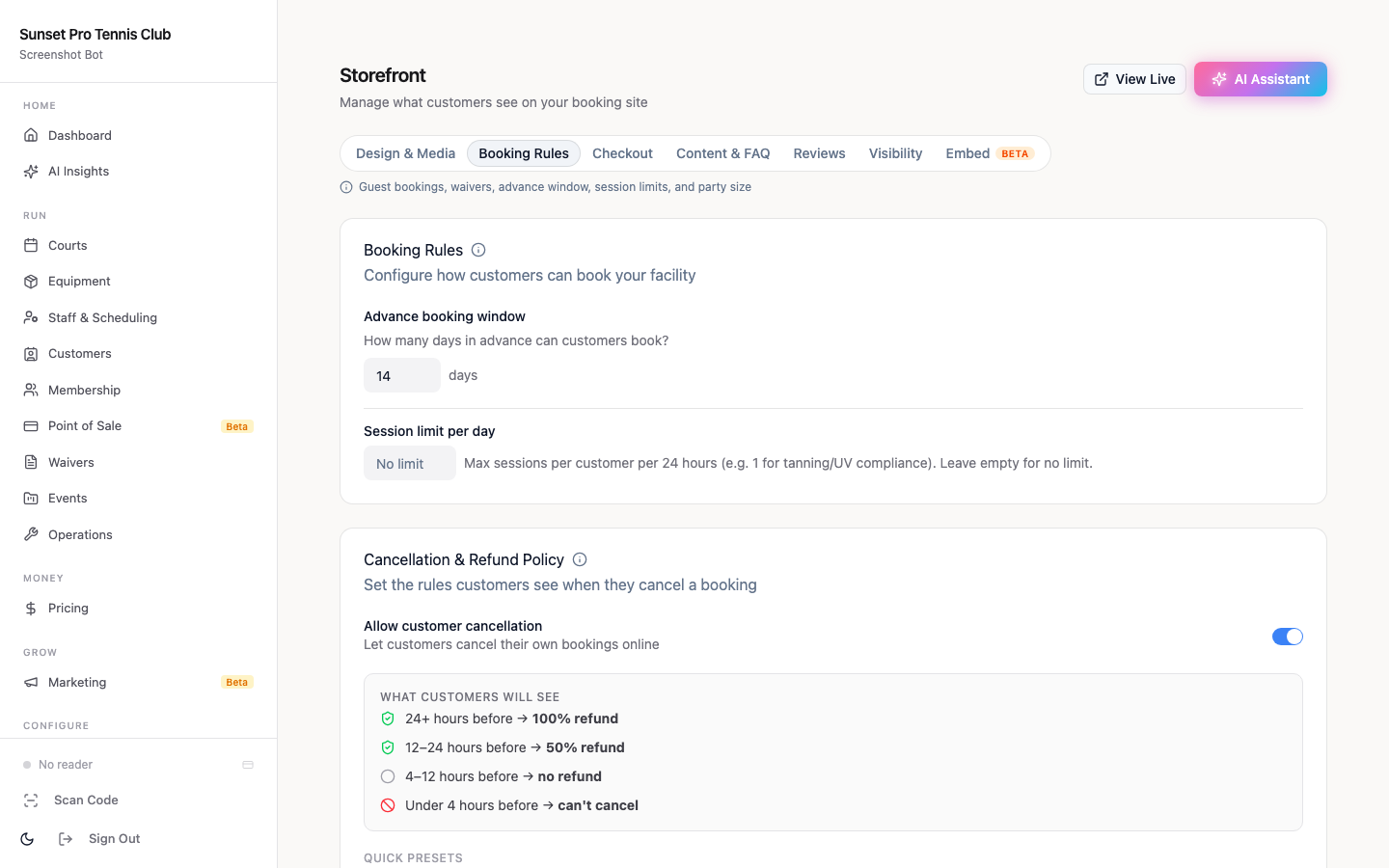
The right cancellation window depends on your court utilization rate and your backfill capacity.
High-utilization clubs (80%+ courts booked at peak): A 24-hour window is defensible. At high utilization, a late cancel at 6 PM for a 7 PM slot leaves zero time to fill the court. The full session revenue is lost.
Mid-utilization clubs (50–80%): 12 hours is common. Courts get some organic backfill through drop-in or member browsing. The shorter window reduces friction for members with legitimate last-minute conflicts while still protecting peak-hour inventory.
Lower-utilization clubs (<50%): 4–6 hours is reasonable. You have more buffer, and penalizing cancellations too harshly when courts often sit open anyway can frustrate members unnecessarily.
Whatever window you choose, make it visible before checkout — not buried in the terms. Showing "Cancel for free before [calculated time]" at booking confirmation reduces disputes because members have clear notice at the moment they book.
Cancellation Fee Structure
A few principles that hold up across most club types:
Flat fees outperform percentages for lower-priced bookings. A 50% cancellation fee on a $20 court booking is $10 — the same as a flat fee, but less transparent. Flat fees are easier to communicate and easier for members to predict.
Typical ranges by booking type: - Standard 1-hour court booking: $10–$15 late-cancel fee - Pro lesson or clinic booking: 50–100% of lesson fee (instructors lose that slot entirely) - Premium court time (Friday/Saturday evenings): $15–$25 (reflects the actual demand for those slots) - Ball machine add-on: Same as the add-on fee, since the equipment block is reserved
No-show vs. late-cancel: It's worth treating these differently. A no-show (member doesn't appear, no cancellation) typically deserves a stricter fee than a late cancel — or a strike system that leads to a suspension if repeated. A member who cancels 4 hours out at least freed the slot theoretically; a no-show gives zero recovery window.
Most clubs configure a no-show fee equal to the full booking value or a flat $20–$30, with a three-strike suspension applied automatically after the third occurrence within 90 days.
Membership Tier Cancellation Rules
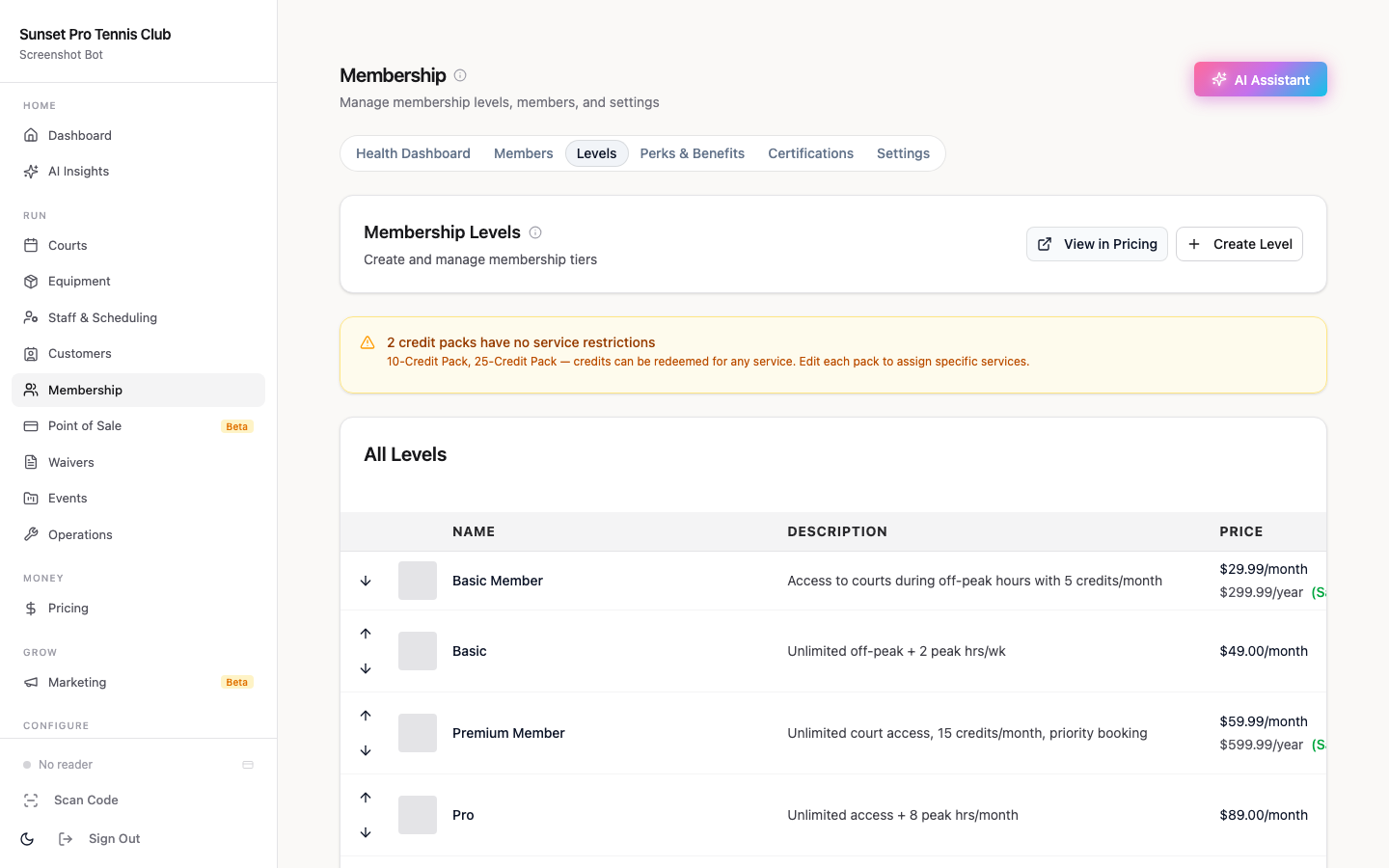
Not all members should face the same cancellation terms. Tier-based rules let you reward loyal members while still protecting your court inventory.
A common three-tier structure:
Guest / Non-member: Strictest rules. 24-hour window, no exceptions, full fee enforced. Guests have no history with the club and are more likely to be casual bookers who don't consider the impact of late cancels.
Standard member: 24-hour window with a late-cancel fee, but one "forgiveness" credit per month. This gives members flexibility for genuine last-minute conflicts without removing accountability for habitual late-cancelers. The credit resets monthly automatically.
Premium / Full member: 12-hour window with the same fee structure, but two forgiveness credits per month. Premium members have made a larger financial commitment to the club. A slightly more flexible window acknowledges that commitment.
Instructor accounts: No auto-fee for cancellations initiated by the instructor. Instructor cancellations typically trigger a rebooking workflow or credit back to the member, not a penalty.
The key is that tier rules live in the system, not in someone's head. When a Premium member cancels at 14 hours and a Standard member cancels at 14 hours, the system applies the right rule for each — without a staff member having to check a membership type.
Automating Policy Enforcement
Manual policy enforcement creates three problems: inconsistency, overhead, and delayed revenue capture. Automation solves all three.
What automated enforcement looks like in practice:
1. Member cancels a booking via the app or website 2. System checks the cancellation timestamp against the booking start time 3. If inside the policy window, system checks the member's tier rules and available forgiveness credits 4. If a fee applies, the charge is automatically queued against the member's payment method on file 5. Member receives a notification confirming the cancellation and any fee applied 6. Dispute window (optional, 24–48 hours) allows the member to flag an unusual circumstance 7. Fee settles automatically at the end of the dispute window if no flag is raised
No staff action required at any step. The entire sequence runs without a human in the loop.
What to configure once: - Cancellation window per booking type (court, lesson, clinic, equipment) - Fee amount per booking type - Tier overrides for each membership level - Forgiveness credit allotments per tier per month - No-show vs. late-cancel fee differentiation - Strike threshold and suspension trigger (if using)
Once configured, those rules apply to every booking, every day, without anyone checking.
Handling Disputes
Even with clear policies and automated enforcement, members will occasionally dispute a charge — usually a genuine emergency or a booking platform misunderstanding.
Best practice for dispute handling: - Build a dispute window into the flow. A 24-hour flag window after a fee is applied lets members surface real issues before the charge settles, which is less work for everyone than reversing a payment after the fact. - Log every timestamp. Your booking system should record when the booking was made, when the cancellation was submitted, and when the fee was triggered. When a member says "I cancelled in time," you have a timestamped record to reference. - Authorize staff overrides, but log them. Managers should be able to waive a fee in genuine emergencies. But the waiver should be logged with a reason code — so you can see if waivers are being used consistently or as a workaround for enforcement discomfort.
The goal is a system where legitimate disputes get resolved quickly and exceptions get surfaced clearly, without creating a culture where members expect fees to disappear if they push back.
Related guides - [Tennis Club Management Software: The Operator's Buying Guide](/blog/tennis-club-management-software-guide) - [How to Reduce No-Shows at Tennis Courts: A Practical Guide](/blog/how-to-reduce-no-shows-tennis-courts) - [Tennis Club Membership Tiers: The Complete Pricing Guide](/blog/tennis-club-membership-tiers-guide) - [Tennis Club Waitlist Management: The Operator's Guide](/blog/tennis-club-waitlist-management) - [Tennis Club Open Play & Drop-In Management Software](/blog/tennis-club-open-play-drop-in-management) - [Tennis Club Member Retention Software: What Works in 2026](/blog/tennis-club-member-retention-software)
Frequently Asked Questions
- What cancellation window should a tennis club use?
- Most tennis clubs use a 24-hour cancellation window for standard bookings. High-utilization clubs (80%+ booked at peak) benefit most from a full 24-hour window since late cancels rarely get backfilled in time. Mid-utilization clubs can use 12 hours and still protect peak inventory. Lower-utilization clubs often find 6 hours sufficient — enough to catch habitual cancelers without penalizing members for genuine last-minute conflicts.
- Can I charge different cancellation fees by membership tier?
- Yes, and most clubs with membership tiers should. A common structure: guests and non-members face the strictest rules (24-hour window, no grace), standard members get one monthly forgiveness credit, and premium members get a shorter 12-hour window plus two monthly credits. Tier rules apply automatically when managed in booking software — staff don't have to check a member's plan before deciding whether to apply a fee.
- What software automates tennis club cancellation policy enforcement?
- Orhuk supports configurable cancellation windows, tier-based fee rules, forgiveness credit allotments, and automatic charge capture — all running without staff involvement. CourtReserve offers similar functionality starting around $199/month. PlayByPoint supports configurable policies but requires more manual setup. OpenCourt focuses more on access control than booking policy automation. Orhuk's free plan includes cancellation policy automation, making it accessible for clubs at any size.
- What if a member disputes a late-cancel charge?
- Build a short dispute window (24–48 hours) into your cancellation flow so members can flag genuine emergencies before charges settle. Your booking system should log every cancellation timestamp so you have a timestamped record if a member claims they cancelled in time. Staff should be able to issue waivers for legitimate exceptions, but those waivers should be logged with reason codes so you can track whether exceptions are being applied consistently or used to avoid enforcement.