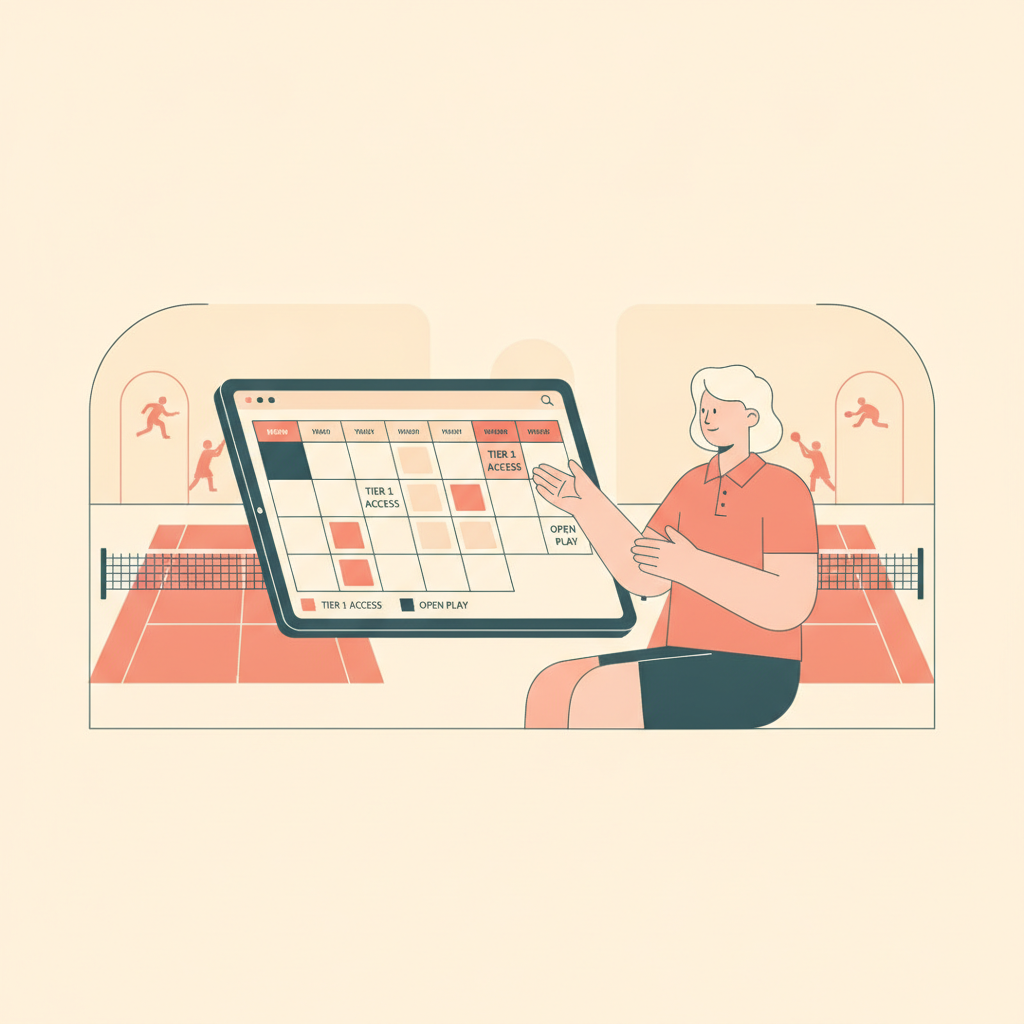
Pickleball Court Booking Rules: What to Configure and Why
2026-08-08 · 7 min read
Court hogging and unfair access complaints usually mean your booking rules aren't configured — not that players are bad actors. Here's the five-rule framework clubs use to enforce fair court access automatically.
When a member books three courts every morning and holds them until noon, the complaint that lands in your inbox says "court hog." But the real problem is a missing booking rule. No advance window cap. No daily limit. No concurrent-booking ceiling. Players exploit whatever space the system gives them — not because they're bad actors, but because the policy isn't configured.
This guide covers the five booking rules that every pickleball facility should configure before complaints start. These aren't theoretical — they're what well-run clubs use, and they're what a good [pickleball facility management platform](/blog/pickleball-facility-management-software) should let you set in under an hour.
Why Booking Rules Break Down Without Software
Paper sign-up sheets and honor systems worked when courts were underutilized. The moment demand outpaces supply — which happens fast in pickleball — you need enforcement that doesn't depend on staff watching every reservation or players policing each other.
The five categories of rules that matter:
1. Advance booking windows — how far ahead someone can reserve 2. Daily and weekly court-hour limits — how much total time one person can hold 3. Concurrent booking caps — how many active reservations at once 4. Peak-hour priority — who gets first access during high-demand windows 5. Guest and non-member booking rules — whether day-use players book independently
Each one addresses a specific failure mode. Skipping any of them leaves a gap that predictably gets exploited — not maliciously, but because nothing stops it.
Advance Booking Windows: Giving Members First Access
The advance window determines how far in advance someone can claim a court. A 7-day window for members and a 48-hour window for non-members gives members a meaningful advantage without completely locking out drop-in players.
Most municipal parks set a 2-hour daily limit per player rather than a reservation window, because they're managing drop-in play rather than club membership. Private facilities should think differently — tiered windows are the most effective membership retention lever you have. When members know they can book Saturday morning courts on Tuesday while the public can't, that access becomes part of what they're paying for.
A typical configuration: - Premium members: 14-day advance window - Standard members: 7-day advance window - Non-members / day-use: 48-hour advance window
Some clubs extend the premium window to 21 days for annual members. The exact numbers matter less than the tier differentiation. If everyone can book 14 days out, you've neutralized your premium membership benefit.
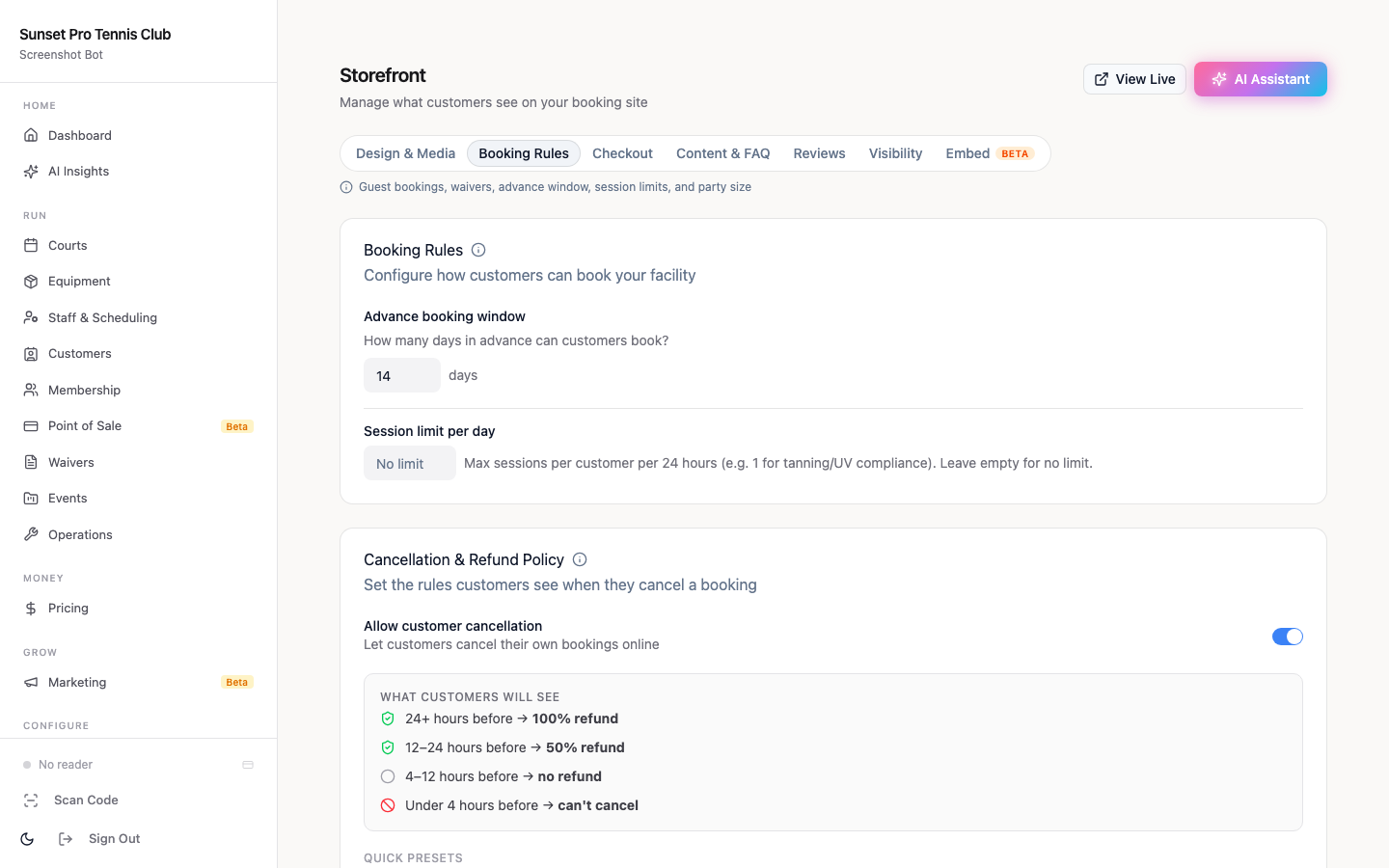
The window should be per-membership-level, not per court. A flat "7 days" policy doesn't protect peak inventory the way tiered access does, and it gives you nothing to offer when a member asks why the premium plan costs more.
Your [pickleball facility management software](/blog/pickleball-facility-management-software) should enforce these windows automatically at checkout — not via an honor system where staff manually check a member's plan before approving a booking.
Daily and Weekly Court-Hour Limits
Advance windows control *when* someone can book. Hourly limits control *how much* they can book.
Without a limit, a motivated player can book 4 hours on Monday, 4 on Tuesday, and 4 on Wednesday — legally, within your window — while other members can't get a slot. This is the court-hogging pattern most complaints describe.
A conservative starting point:
- Standard members: 2 hours/day, 6 hours/week - Premium members: 3 hours/day, 10 hours/week - Non-members: 1 hour/day, 2 hours/week
These numbers come from what club operators actually implement. Many established clubs limit court reservations to two hours per member per day for open-play sessions, explicitly to ensure access for all members. Municipal facilities commonly cap non-resident play at 90 minutes during peak hours.
Daily limits are enforced at booking time: when a member tries to add a third hour to their Tuesday, the system declines it. Weekly limits catch patterns like "max out every day" — rare but it happens at high-demand clubs.
If you have [pickleball membership pricing tiers](/blog/pickleball-membership-pricing-guide), the daily/weekly limits should map directly to those tiers. Premium members who pay more should get meaningfully more access, not just a different colored badge.
Peak-Hour Priority and Concurrent Booking Caps
Peak hours are typically 7–9 AM and 5–8 PM on weekdays, plus all of Saturday and Sunday morning. These windows fill fastest, generate the most complaints when managed poorly, and are worth protecting with specific rules.
Concurrent booking cap: A player should be able to hold at most one active reservation at peak hours. Without this, someone can book court 1 at 6 PM and court 2 at 6 PM "just in case," consuming two slots and releasing one (maybe) when they decide which friends can make it.
Peak-hour member priority: Some facilities configure a 24-hour or 48-hour window where only members can book peak slots, then open remaining inventory to non-members. This is different from the advance window — it's not about booking earlier, it's about a protected first-access period for premium time blocks.
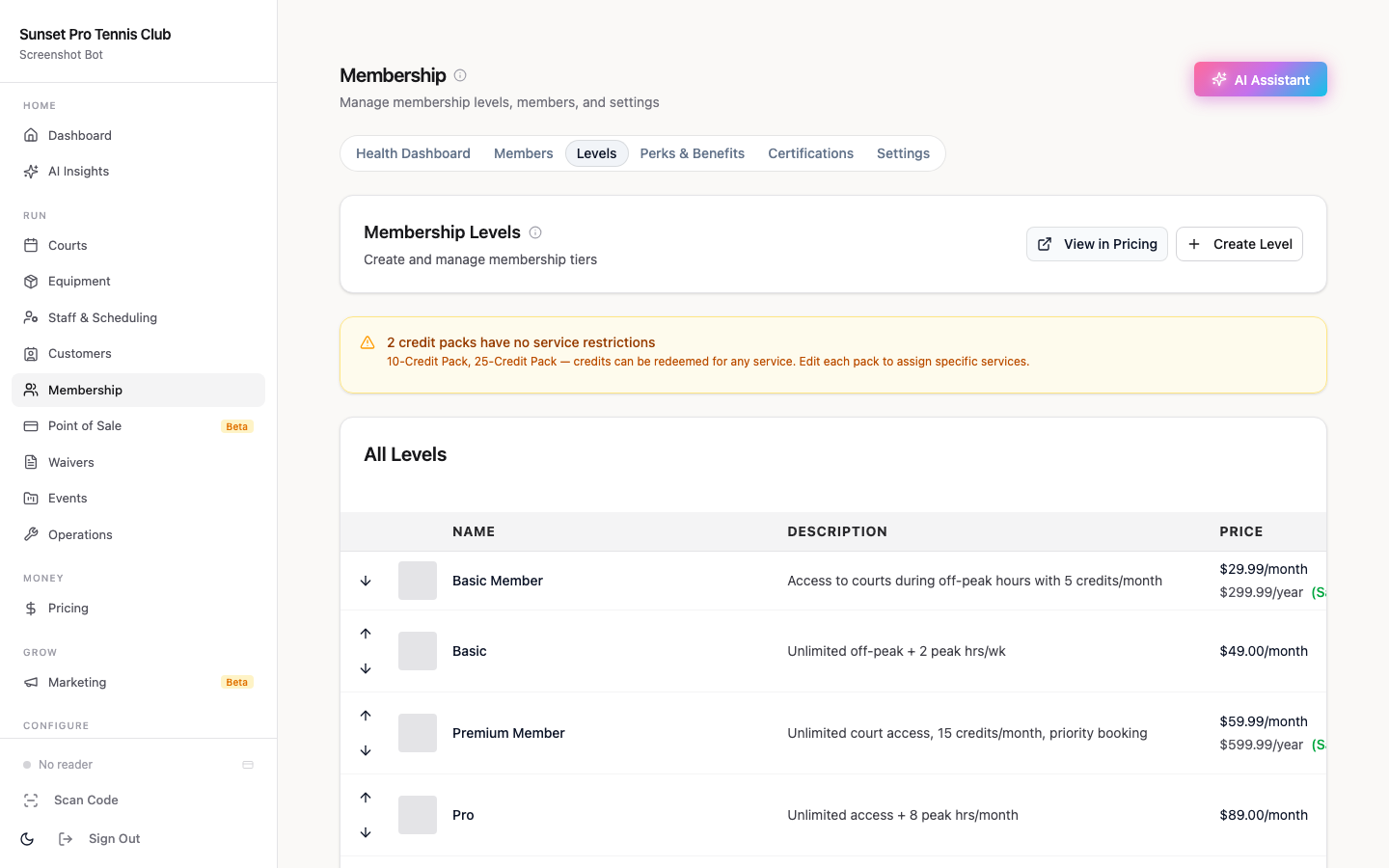
Concurrent reservations limit: Set maximum active (upcoming) reservations per member. A reasonable cap is 2 concurrent bookings for standard members, 4 for premium. This prevents someone from staking out multiple time slots across the week and cancelling most of them close to the date — a pattern that's technically within policy but blocks access for everyone else.
The point: software capability matters. If your platform can't configure concurrent limits per membership tier, you're managing this manually or not at all.
Guest and Non-Member Booking Rules
The guest policy is where most clubs get sloppy. Typical failure modes:
- Members can bring unlimited guests, no booking required, flooding courts - Non-members can't book at all, pushing you toward under-utilized inventory at off-peak times - Day-use pricing isn't enforced — guests just show up and claim they're with a member
A functional guest/non-member rule set:
For members' guests: Require the member to book and pay a guest fee ($8–$15/hour is the typical range) at the time of reservation. Limit to 2 guests per member per booking. Count guest-hours against the member's weekly limit — otherwise the limit is trivially defeated by having guests "hold" courts.
For non-member day-use players: Allow booking within the 48-hour window, require upfront payment, and apply peak-hour restrictions. Don't let non-members book peak slots that members haven't taken — release unsold peak inventory to non-members, but only within 24 hours of the time slot.
For leagues and recurring groups: Configure them as a separate booking type with their own rules — locked slots, separate from individual reservation inventory. This prevents a recurring Thursday league from consuming all available Wednesday bookings.
Your [pickleball no-show and cancellation policy](/blog/pickleball-no-show-cancellation-policy) should apply equally to guest bookings — since no-shows by guests can't be addressed through a member's account the way member no-shows can, the rules need to be stricter, not looser.
A Complete Rule Configuration Template
Here's a rule set you can use as a starting point. Adjust numbers based on your court count and member demand:
| Rule | Standard Member | Premium Member | Non-Member / Day-Use |
|---|---|---|---|
| Advance window | 7 days | 14 days | 48 hours |
| Daily court-hour limit | 2 hours | 3 hours | 1.5 hours |
| Weekly court-hour limit | 6 hours | 10 hours | 3 hours |
| Concurrent active reservations | 2 | 4 | 1 |
| Peak-hour access | Yes, after premium window | Yes, full window | Only 24h before slot |
| Guest additions per booking | 2 | 2 | 0 |
| Guest fee | $10/hour | $8/hour | n/a |
This template assumes a club with 4–8 courts and a differentiated membership structure. A single-tier membership or drop-in-only facility would simplify several columns.
The key principle: every cell in this table should be a software configuration, not a staff judgment call. If enforcing any of these rules requires someone to check a spreadsheet or remember who's a premium member, the rule won't be enforced consistently.
[Setting up court booking in Orhuk](/blog/pickleball-court-online-booking-setup) takes under 30 minutes for this full rule set. Booking windows, daily limits, concurrent caps, guest fees, and peak-hour priority are all configurable per membership tier from a single admin screen. The [waitlist system](/blog/pickleball-court-waitlist-management) also integrates with booking rules — when a limit blocks a reservation, the member can join a waitlist that auto-fills if an existing booking cancels.
Orhuk's free plan includes full booking rule configuration with no court limit. Setup takes about an hour, and the rules run automatically from that point without staff involvement. If you're running a larger operation and want DUPR-integration for [skill-based open play](/blog/pickleball-skill-based-open-play-dupr), that's available on higher tiers — but the core booking rule enforcement is free.
---
Related guides - [Pickleball Facility Management Software: Complete Operator's Guide](/blog/pickleball-facility-management-software) - [How to Set Up Online Court Booking for a Pickleball Club](/blog/pickleball-court-online-booking-setup) - [Pickleball No-Show and Cancellation Policy: A Club Operator's Guide](/blog/pickleball-no-show-cancellation-policy) - [Pickleball Court Waitlist Management: Filling Cancellations Automatically](/blog/pickleball-court-waitlist-management) - [Pickleball Membership Pricing Guide for Club Operators](/blog/pickleball-membership-pricing-guide) - [Skill-Based Open Play and DUPR Integration for Pickleball Clubs](/blog/pickleball-skill-based-open-play-dupr)
Frequently Asked Questions
- How far in advance should pickleball courts be bookable?
- Most clubs use tiered advance windows: 14 days for premium members, 7 days for standard members, and 48 hours for non-members. The tier differentiation matters more than the exact numbers — if everyone can book the same distance out, you've lost one of your strongest membership-value levers. Municipal parks typically use shorter windows (24–48 hours) because they're managing drop-in access rather than membership tiers.
- What is a reasonable daily court-hour limit for pickleball?
- Two hours per day for standard members and three hours for premium members is a common starting point. Some municipal facilities cap all players at 90 minutes during peak hours. The right limit depends on your court-to-member ratio — if you have 4 courts and 300 members, a 2-hour daily cap is necessary; with 10 courts and 200 members, you might not need one at all.
- Should guests count against a member's booking limit?
- Yes, guest-hours should count against the member's daily and weekly limit. If they don't, the limit is trivially defeated — a member at their daily cap can simply book additional courts through a guest account. Require members to add guests at booking time, not at arrival, so the system can enforce the fee and the hour limit simultaneously.
- How do I handle peak-hour booking priority for members?
- Configure a protected booking window where only members can access peak-hour slots (7–9 AM and 5–8 PM weekdays, Saturday/Sunday mornings). Release any unsold inventory to non-members within 24 hours of the slot. This gives members meaningful early access without leaving courts empty at peak times. Most pickleball booking platforms support this as a per-membership-tier rule.
- What software enforces pickleball court booking rules automatically?
- Orhuk supports tiered advance windows, daily and weekly hour limits, concurrent reservation caps, peak-hour priority, and guest booking rules — all configurable per membership level from a single admin screen. The free plan includes full booking rule enforcement. CourtReserve offers similar functionality starting around $199/month. PlayByPoint covers the core rules but requires more manual setup for tier-based configurations. OpenCourt focuses more on access control than reservation-rule automation.
- How many concurrent reservations should a member be able to hold?
- Two concurrent active reservations for standard members and four for premium members is a reasonable starting cap. Without a concurrent limit, players can stake out multiple time slots speculatively and cancel most of them close to the date — technically within policy but effectively blocking access for everyone else. The cap should apply per person, not per household.