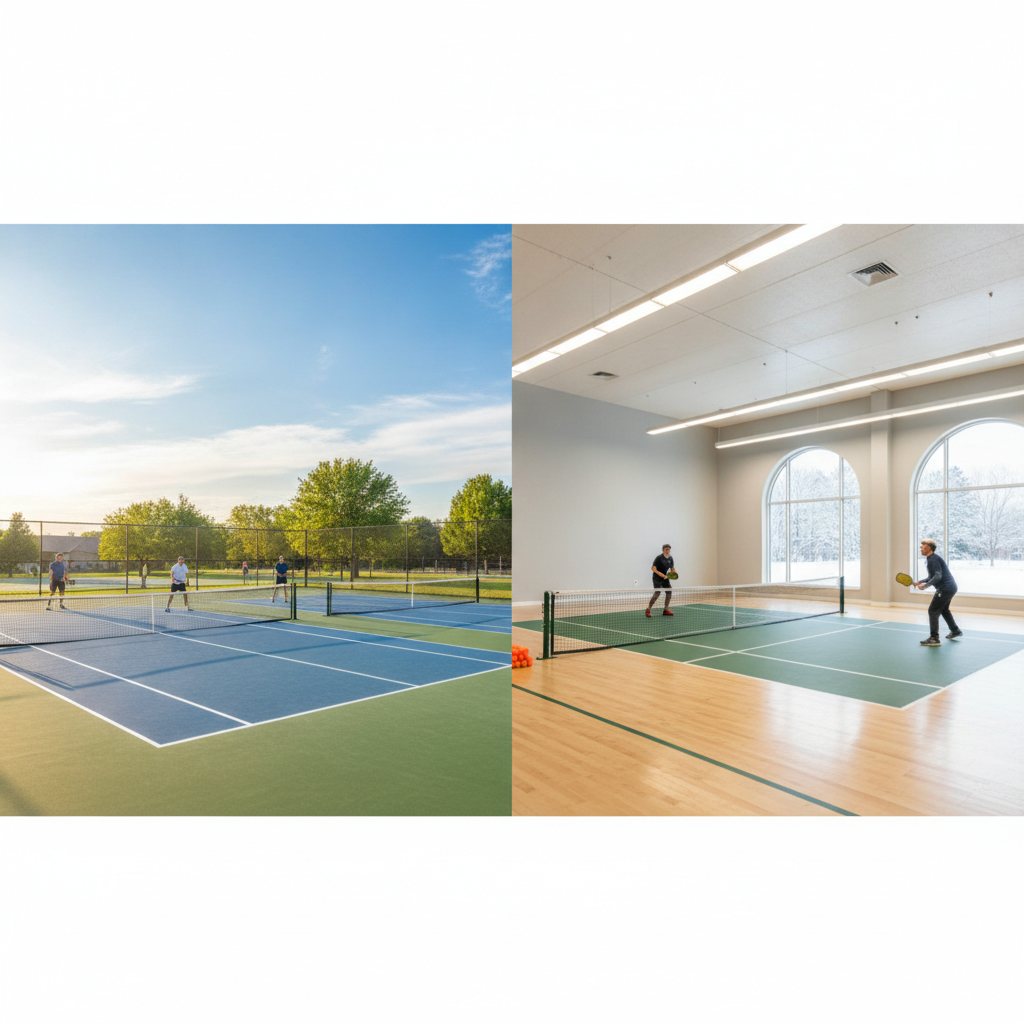
Pickleball Club Seasonal Court Management: The Operator's Guide
2026-09-26 · 7 min read
Northern pickleball clubs lose bookings every October when outdoor courts close and indoor fills up instantly. Here's how to configure seasonal availability, membership tiers, and pricing in your booking software so the transition runs itself.
Every October, northern pickleball club operators face the same problem: outdoor courts close, indoor demand spikes overnight, and the booking system that worked fine in June can't handle the pressure. Members show up to locked courts. Phone calls pile up. Staff manually updates court availability while answering membership questions. The transition that should take a few configuration clicks instead eats a week.
Over 24 million Americans played pickleball in 2025 — and more than 1,200 new indoor facilities opened in the past two years as demand pushed growth indoors.<sup>[1]</sup> Outdoor courts still represent roughly 62% of U.S. pickleball locations, but in northern states, those courts go dark for four to five months each year.<sup>[2]</sup> For a club running both surfaces, the October transition is the most operationally complex moment of the year.
This guide covers how to configure seasonal court availability rules, membership tier structures, and pricing in a [pickleball facility management system](/blog/pickleball-facility-management-software) so the outdoor-to-indoor transition runs itself.
Why Seasonal Transitions Break Manual Systems
Manual seasonal management creates a cascade of small failures that compound quickly. A staff member updates a spreadsheet with new indoor court availability. A member books a court using last season's rules. A membership tier that included outdoor-only access books an indoor court it shouldn't be able to. A price discount for outdoor morning sessions still applies when those courts no longer exist.
Each error is small. Together they produce the same outcome: a first week of indoor season filled with reschedules, refunds, and phone calls from members who don't understand why their routine changed.
The underlying issue isn't staff carelessness — it's that manual systems have no concept of time-based rules. A spreadsheet doesn't know that Court 3 is seasonal. A shared calendar can't enforce membership access by surface type. Without software that handles seasonal transitions natively, operators are stuck doing the system's job manually every year.
Three things need to happen cleanly when outdoor courts close:
1. Court availability — outdoor courts stop accepting bookings, indoor courts open for the season 2. Membership access rules — members on outdoor-only or outdoor-priority tiers need their access adjusted 3. Pricing — seasonal rate differences between indoor and outdoor need to update without applying discounts designed for the wrong surface
All three need to happen simultaneously and automatically if the transition is going to be invisible to members.
Configuring Seasonal Court Availability in Orhuk
In Orhuk, each court or court group is managed as a resource with its own availability schedule, booking rules, and access controls. Seasonal availability changes — blocking outdoor courts for winter, opening indoor courts for the season — are handled through the resources configuration rather than through manual schedule edits.
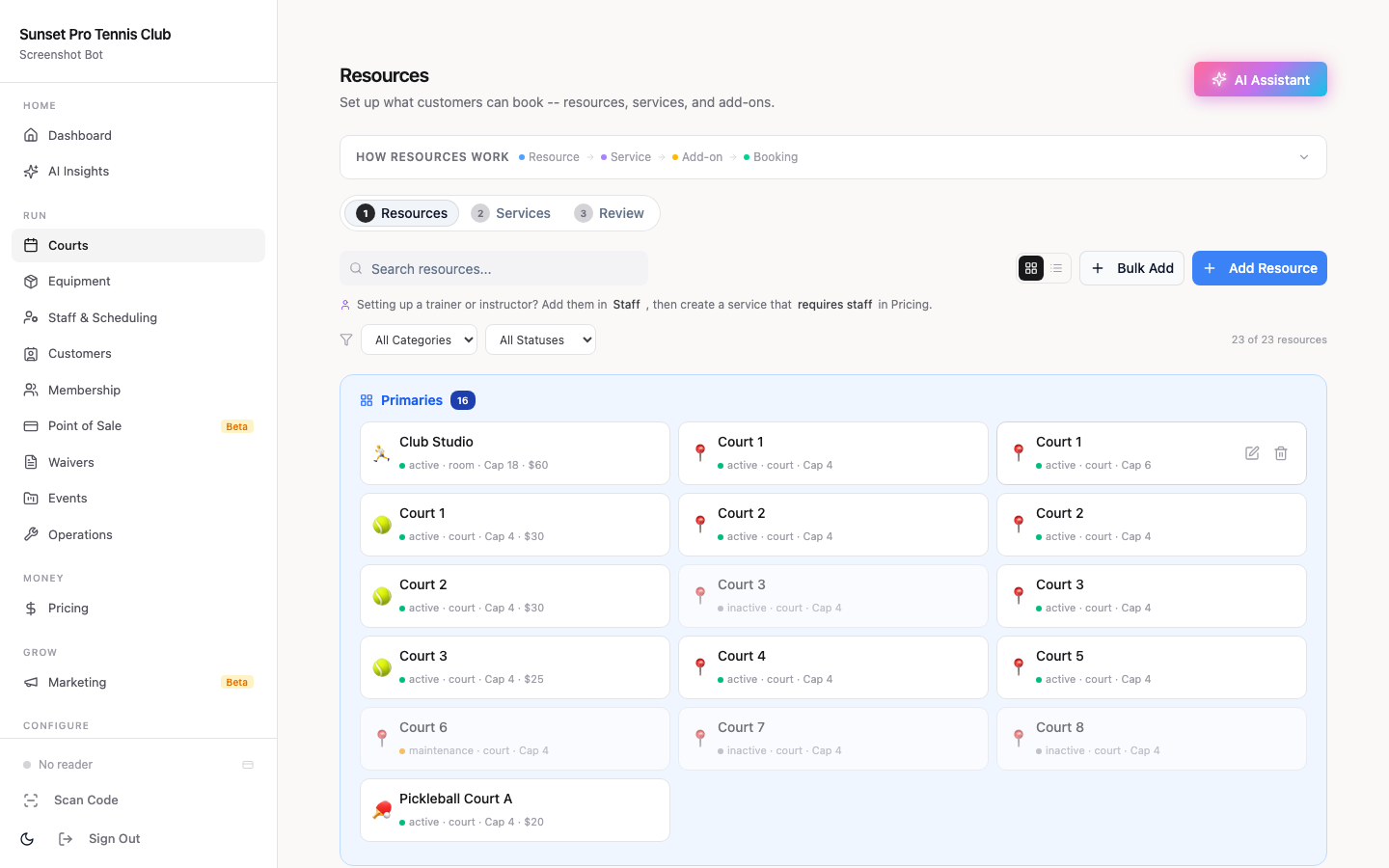
To configure seasonal availability:
1. Navigate to Resources → Resource List 2. Select the outdoor court resource you want to put into seasonal standby 3. Set the availability window: define the date range when this resource accepts bookings (e.g., April 15 – October 15) 4. Outside that window, the resource stops appearing in the booking flow — members never see a court that isn't bookable, so there's no confusion and no manual explanation needed 5. Repeat the process in reverse for indoor courts: define the window when they open (October 1 – March 31 for most northern clubs)
The overlap window (early October, late March) lets both surfaces accept bookings simultaneously, which is useful if weather allows outdoor play later than usual. Operators can extend an outdoor resource's window with a single setting change rather than manually reopening it.
For clubs with court types that have different seasonal rules — covered outdoor courts versus fully exposed ones, for example — each surface can carry its own availability window. This extends naturally to driving ranges, turf courts, or any facility with a mix of seasonal and year-round surfaces.
Once availability windows are set, the scheduling side of the seasonal transition requires no staff attention at all. The courts open and close automatically on the dates you configured.
Seasonal Membership Tiers and Billing
Court availability handles the scheduling problem. Membership configuration handles the access problem.
Many pickleball clubs run tiered memberships where the outdoor season creates natural tier distinctions — a lower-priced tier with outdoor-only or outdoor-priority access, a higher-priced tier with full year-round access including indoor. When outdoor courts close, the billing and access rules for outdoor-priority members need to reflect the change.
There are three approaches that work well:
Seasonal pause. Outdoor-only members receive a reduced rate (or a temporary billing pause) during the indoor season while retaining first-access rights when outdoor courts reopen. This protects the relationship with price-sensitive members without forcing them to pay for a surface they don't want. In Orhuk, member billing cycles can be adjusted per-member or per-tier from the Memberships dashboard.
Automatic tier upgrade. When outdoor courts close, outdoor-only members are automatically bumped to an indoor-access tier at the standard indoor price, with a notification explaining the change. No manual tier management needed. Members who don't want indoor access can opt out of the upgrade via the confirmation email.
Seasonal rate adjustment. Rather than maintaining separate tiers, some clubs simply adjust their base membership rate seasonally — slightly higher in the indoor season to reflect the facility cost difference. This simplifies the tier structure at the cost of some flexibility for members who only want one surface.
For clubs evaluating their full [membership pricing strategy](/blog/pickleball-membership-pricing-guide), the seasonal split is a natural place to anchor pricing tiers around real access differences rather than arbitrary features.
Seasonal Pricing Adjustments
Court booking rates also need to reflect the season. Indoor courts typically command higher rates than outdoor — climate control, lighting, and maintenance costs are higher. In northern markets, indoor court rates in peak winter months are often 15–30% above summer outdoor rates.
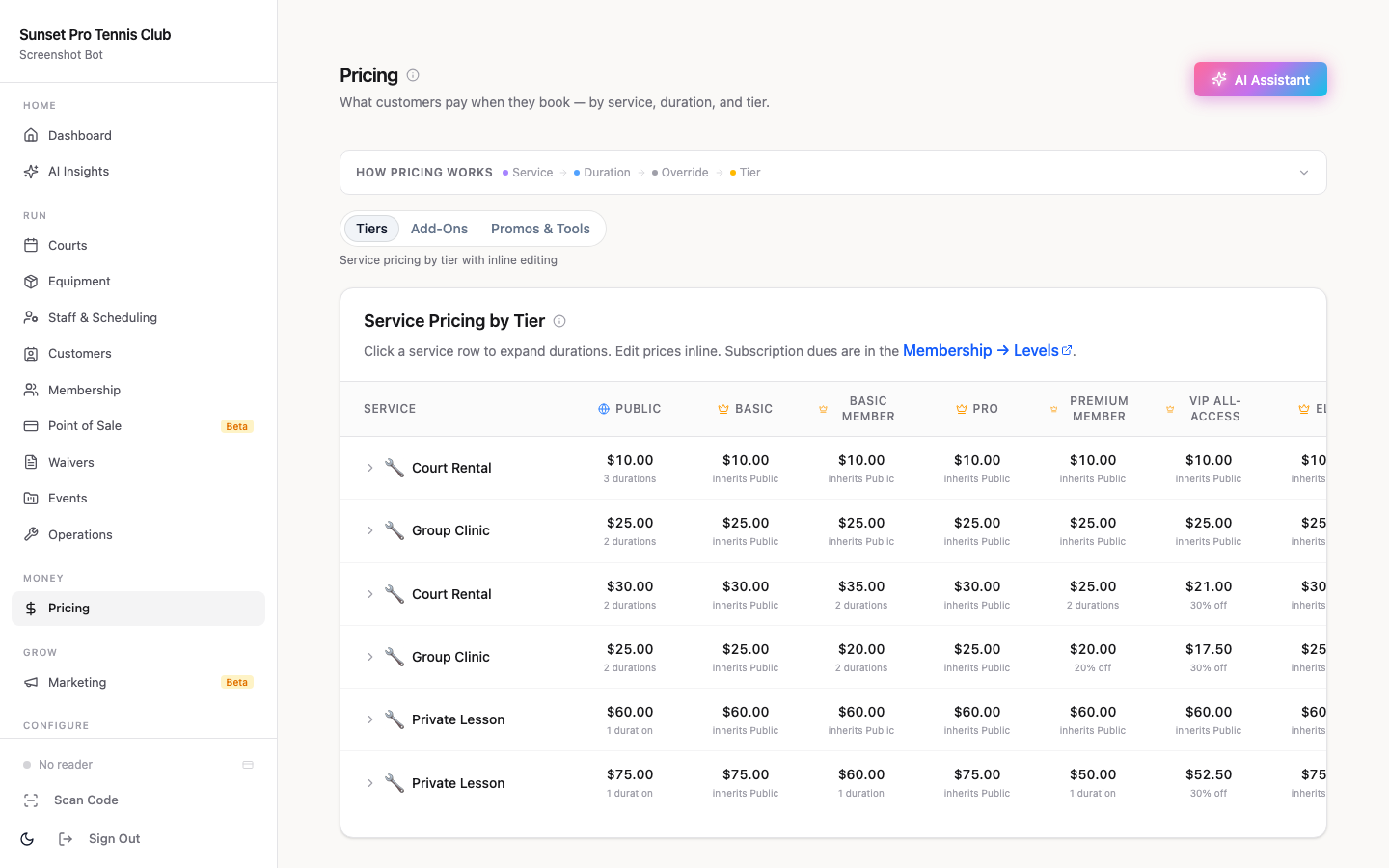
In Orhuk, pricing rules are resource-specific. Each resource (court or court group) can carry its own rate schedule, including:
- Time-of-day pricing — morning and evening rates differ - Day-of-week pricing — weekend peak versus weekday off-peak - Membership-tier pricing — members book at a different rate than drop-in guests - Resource-specific rates — indoor Court 1 charges differently than outdoor Court 4
Seasonal pricing is handled by updating the rate on the indoor resource when the season opens. Because each resource carries its own rate schedule independently, changing indoor court pricing doesn't affect outdoor court pricing — there's no global price setting that overwrites both.
For clubs that run [peak pricing during high-demand indoor slots](/blog/pickleball-peak-pricing-strategy), the seasonal pricing configuration extends naturally to those rules. Configure once and the system applies the correct rate to every booking that session without manual calculation.
One important check: any discount passes or promotional rates designed for outdoor morning sessions should be scoped to that specific resource. When outdoor courts close, the discount should stop applying automatically because it's tied to an unavailable resource — not because a staff member remembers to turn it off.
Communicating the Seasonal Change to Members
The operational transition can run itself. The member communication still needs a human voice behind it.
Two weeks before outdoor courts close, send a brief member notification:
> "Starting October 15, our outdoor courts move into winter standby and indoor courts open for the season. Court 1 and 2 will be bookable online beginning October 1 so you can grab your regular time slots before they fill. Your membership access automatically reflects the new surface availability."
Members who experience a billing change (outdoor-to-indoor tier adjustment, seasonal pause, rate update) need a separate notification explaining exactly what changed and why. Silence on pricing changes is the most reliable source of cancellation disputes — a two-sentence explanation prevents 90% of them.
For clubs managing court-level availability and a [court booking rules setup](/blog/pickleball-court-booking-rules-guide) that differs between indoor and outdoor, the seasonal transition is also a natural moment to revisit those rules. Many clubs apply different advance booking windows for indoor courts during peak winter demand — members can book up to 7 days out for indoor versus 14 days for outdoor — which helps spread peak-window demand.
How Pickleball Management Platforms Handle Seasonal Operations
Most club operators evaluate pickleball software before the first seasonal transition — and discover the platform's seasonal capabilities only when October arrives.
Orhuk handles seasonal operations as a native part of resource and membership configuration. Court availability windows, membership access rules, and resource-specific pricing are all configured once and run automatically on schedule. The transition requires no manual court-by-court changes and no staff coordination across the booking window.
CourtReserve has built-in court availability scheduling and is widely used by indoor and outdoor pickleball clubs. Seasonal transitions typically require updating availability settings per court before the season opens. Its membership system supports tiered access and pricing.
PlayByPoint supports court-level availability configuration and membership tier access. Seasonal pricing adjustments are handled through its resource and pricing settings.
Upper Hand offers scheduling and membership tools used by multi-surface sports facilities. Its availability management supports seasonal scheduling adjustments.
For clubs managing multiple surfaces and seasonal billing simultaneously, software that handles both in one system — rather than requiring manual coordination between scheduling and membership tools — cuts the transition work significantly.
Related guides - [Pickleball Facility Management Software: The Operator's Guide](/blog/pickleball-facility-management-software) - [Pickleball Court Maintenance Scheduling](/blog/pickleball-court-maintenance-scheduling) - [Pickleball Peak Pricing Strategy](/blog/pickleball-peak-pricing-strategy) - [Pickleball Court Booking Rules Guide](/blog/pickleball-court-booking-rules-guide) - [Pickleball Club Membership Pricing Guide](/blog/pickleball-membership-pricing-guide) - [Pickleball Facility Analytics and Utilization](/blog/pickleball-facility-analytics-utilization)
Sources
[1] SFIA 2026 U.S. Pickleball Participation Report — 24.3 million Americans played pickleball in 2025; 1,200+ new indoor pickleball facilities opened in the past two years as market demand shifted toward climate-controlled play [2] USA Pickleball Annual Growth Report — outdoor courts represent approximately 62% of U.S. pickleball locations; northern-state clubs typically operate outdoor courts April–October with 4–5 months of indoor-only operations
Frequently Asked Questions
- How do I block outdoor pickleball courts for the winter season in booking software?
- In Orhuk, navigate to Resources → Resource List, select the outdoor court, and set a seasonal availability window — the date range when that resource accepts bookings (e.g., April 15 to October 15). Outside that window, the court stops appearing in the booking flow automatically without any manual intervention. CourtReserve supports court-level availability scheduling where operators can set open and closed seasons per court. PlayByPoint also allows court availability configuration that can be adjusted for seasonal operations.
- Should outdoor-only pickleball members pay less during the indoor season?
- Most clubs that offer outdoor-priority membership tiers at a lower price point handle the indoor season one of three ways: a billing pause or reduced rate while outdoor courts are closed, an automatic tier upgrade to indoor access at the indoor rate, or a seasonal rate adjustment that bumps the base membership price slightly during indoor months. Orhuk supports all three approaches — billing cycles can be adjusted per-tier from the Memberships dashboard, and the seasonal timing can be automated so it doesn't require a manual change each year. The right approach depends on how much of your membership base prefers outdoor play and how price-sensitive they are to the indoor rate difference.
- Can pickleball club software handle different pricing for indoor vs. outdoor courts?
- Yes. In Orhuk, pricing rules are resource-specific — each court or court group carries its own rate schedule independently. Indoor Court 1 can charge a different rate than outdoor Court 3 without affecting any other resource's pricing. You can layer time-of-day, day-of-week, and membership-tier pricing on top of that resource rate. CourtReserve also supports resource-level pricing with membership-based rate differences. PlayByPoint offers configurable pricing per court type. Setting resource-specific pricing at the start of the season means the correct rate applies to every booking automatically without manual calculation.