
Pickleball Membership Tiers: How to Design Levels That Stick
2026-11-06 · 7 min read
How to structure 2–3 membership tiers for your pickleball club: what to include at each level, booking windows that drive upgrades, and how to launch new tiers without disrupting existing members.
Why a Flat Membership Leaves Money on the Table
US pickleball participation reached 24.3 million players in 2025 — a nearly fivefold increase since 2020.<sup>[1]</sup> That growth has arrived in waves: casual players who want open play once or twice a week, committed members who want reserved courts and consistent programming, and competitive players who want priority booking, coaching access, and guest passes for their regular partners.
A single flat membership treats all three the same. Casual players end up paying for perks they'll never use; committed members can't find a tier that matches their actual involvement. The result is a roster where your highest-value players feel they're not getting enough, and your low-frequency players wonder why they're paying for access they don't need.
Tiered memberships solve both sides: they create a natural upgrade path as players deepen their commitment, and they give you pricing leverage that a flat structure can't offer. For a core piece of your [pickleball facility management](/blog/pickleball-facility-management-software) strategy, the tier structure you launch with will shape your revenue mix for years.
How Many Tiers: The 2–3 Tier Sweet Spot
Many clubs that launch with four or five tiers quickly find the administrative overhead — managing multiple booking windows, discount rules, and access levels — outweighs the benefit. Members struggle to understand what they're buying, and your front desk spends time explaining the difference between Tier 3 and Tier 4 instead of running operations.<sup>[2]</sup>
The practical starting point for most facilities is two or three tiers:
- Two tiers works for smaller clubs or new facilities in their first year. One tier for open play, one for reserved courts. Easy to explain, easy to manage. - Three tiers is the most common structure at established clubs. Basic (open play access), Standard (reserved courts, programming discounts), Premium (priority booking window, guest passes, full program access). Three tiers capture the full range of player commitment without overwhelming the decision.
Add a fourth tier only when you have a clear high-commitment segment — competitive players who want a 21-day advance window and unlimited guest passes — and when that segment is large enough to justify the extra operational complexity.
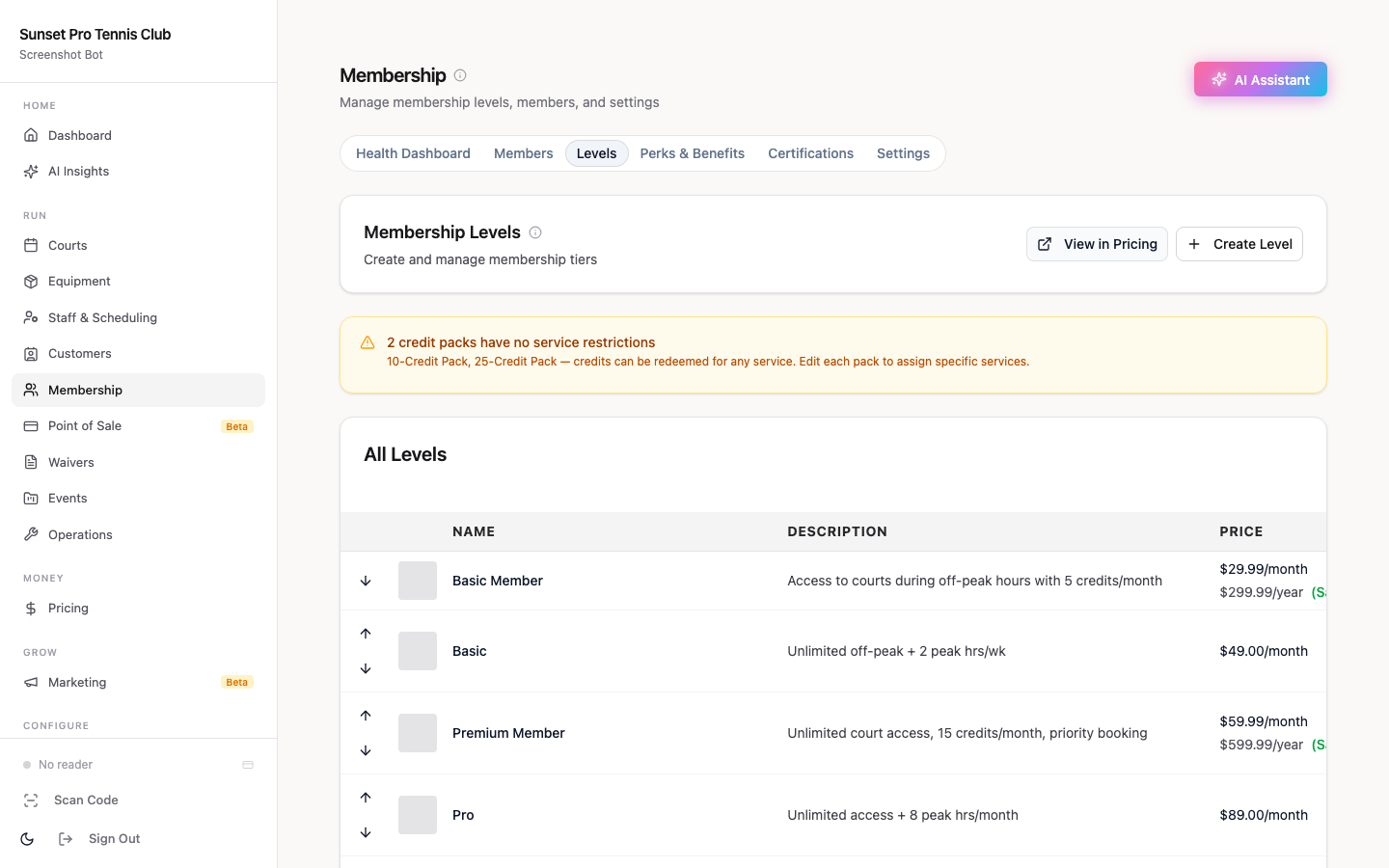
One structural decision that matters from day one: monthly vs. annual billing. Annual payers often remain members longer than month-to-month subscribers, so offering a discounted annual rate alongside monthly typically reduces churn across all tiers. Set annual billing as the default, with monthly available as a step-down option.
Designing Each Level: What to Include at Basic, Standard, and Premium
The benefits at each tier should reflect player commitment — not just willingness to pay. Members who pay more should get access that meaningfully changes their daily experience.
Basic — The entry point. For recreational players who want open play without commitment. - Access to all open play sessions - 3–7 day advance court reservation window (or no self-reservation — open play only) - Standard check-in and waiver process - No guest pass included; guest day passes available at the standard rate
Standard — The core tier. Most of your members will land here. - Self-service court reservations with a 7–10 day advance window - Access to group clinics and programs at member pricing - One guest pass per month - Discounted league registration - Access to member-only social events
Premium — The high-commitment tier. Designed for serious players who want priority and flexibility. - 14–21 day advance booking window (the most valued benefit among competitive players) - 2–3 guest passes per month - Priority waitlist placement for sold-out sessions - Discounted private lesson packages - Early access to new programming before it opens to lower tiers
A few benefits that reliably prompt upgrades: booking windows are the highest-leverage perk — a 7-day vs. 14-day window is a concrete, daily-use advantage that justifies a higher monthly fee. Guest passes matter to social players who bring partners or friends regularly. Clinic and league discounts resonate with competitive players. Build your tier benefits around which player profile each tier is designed for, and the value proposition at each level becomes clear.
Booking Windows and Access Rules That Drive Upgrade Decisions
The booking window is the single most effective conversion tool in a tiered membership structure. You don't have to market its value explicitly — a Basic member who tries to book a popular evening court and finds it already taken by a Premium member will immediately understand what they're missing.
Booking window examples from real clubs: - Basic / open play tier: 3–7 days in advance - Standard tier: 7–10 days in advance - Premium tier: 14–21 days in advance<sup>[3]</sup>
The gap between Standard and Premium should be meaningful enough to feel, not just cosmetic. A 10-day vs. 11-day window gives no one a reason to upgrade. A 7-day vs. 14-day window is a twice-as-long window — a concrete and daily-use reason to pay more.
Court access caps work alongside booking windows. Many clubs add a daily booking limit (2 reservations per day for Standard, 3 for Premium) or a concurrent booking cap (maximum 3 active future reservations at any tier) to prevent court hoarding and keep courts available for walk-in and open play. These rules benefit your less-active members who might feel squeezed out without them, and they give you a principled way to explain limits to your most active players.
For a full approach to [pickleball member retention](/blog/pickleball-member-retention-software), booking rules and tier structure work together: the goal is to make members feel like the tier they're on exactly matches their play frequency.
Naming and Presenting Your Tiers
Generic tier labels don't communicate anything. "Tier 1 / Tier 2 / Tier 3" is confusing; "Bronze / Silver / Gold" is overused and can make your basic-tier members feel like second class.
Names that work in practice: - Play / Reserve / Premier — clear and function-based - Community / Member / Champion — slightly more lifestyle-oriented - Standard / Select / Elite — straightforward without hierarchy judgment
One naming rule worth following: the lower tiers shouldn't feel like the consolation prize. "Community" membership signals belonging, not settling. The premium tier name should feel aspirational without making the other tiers feel inferior.
Presenting the tiers: a three-column comparison on your booking site makes the choice obvious. Put the Standard tier in the center as the default selection — it's the tier most members will choose, and centering it draws attention. Put booking windows in the top row of the comparison — it's your most visible differentiator. Keep tier names consistent everywhere: on your booking site, in automated renewal emails, and in how staff refer to them verbally. Inconsistency creates confusion and unnecessary support questions.
For [membership renewal automation](/blog/pickleball-membership-renewal-automation), consistent tier naming across your full communication stack ensures renewal emails reference the right tier and the right benefit set without manual review.
Launching New Tiers Without Disrupting Existing Members
If you're adding tiers to an existing flat membership, the transition requires deliberate communication. A few practices that reduce friction:
Grandfather existing members. Anyone currently paying your flat rate gets placed into the tier that most closely matches their current benefits and pricing. Tell them explicitly: "You're being moved to [Standard] — your access doesn't change."
Lock the grandfathered rate. If a current member's rate is lower than the new tier price, hold their rate for 6–12 months. This signals fairness and typically reduces cancellations during the transition.
Announce the upgrade path before launch. Members who know a Premium tier is coming can decide whether to move up. Getting upgrade sign-ups before you go live locks in revenue ahead of the launch.
Run a soft launch first. Add tiers to your system, test the booking window logic, and audit member placements before opening registration to everyone. A system error on launch day — a Basic member who can suddenly book 21 days out, or a Premium member who shows the wrong guest pass count — will generate more support tickets than a full week of normal operations.
[Orhuk's membership management](/blog/pickleball-facility-management-software) lets you configure tier-specific booking windows, guest pass allocations, and program access rules in one place, so a structure you define in settings flows automatically to the booking site, check-in, and reporting without manual overrides. See the [trial membership guide](/blog/pickleball-club-intro-trial-membership) for how to build a trial-to-tier conversion path that feeds your new structure.
Related guides
- [Pickleball Facility Management Software (2026)](/blog/pickleball-facility-management-software) — the full pillar for pickleball operators - [Pickleball Membership Pricing Guide](/blog/pickleball-membership-pricing-guide) — how to price each tier for your market - [Pickleball Member Retention Software](/blog/pickleball-member-retention-software) — turning tier upgrades into long-term retention - [Pickleball Membership Renewal Automation](/blog/pickleball-membership-renewal-automation) — automating the renewal cycle across all tiers - [Pickleball Club Trial Membership Guide](/blog/pickleball-club-intro-trial-membership) — a trial-to-tier conversion path that feeds your structure
Sources
[1] SFIA — U.S. Pickleball Participation Statistics: 24.3 million total US participants in 2025, +479% growth since 2020 (sfia.org/research/u-s-pickleball-participation/).
[2] Pickleball.com — How to Start a Pickleball Club: The Complete Organizer's Guide (May 2026): recommends 2–3 membership tiers and warns that more tiers create confusion and administrative overhead.
[3] Booking window examples observed from published club membership pages (November 2026): 7-day advance booking for standard tiers, 14-day and 21-day windows for premium tiers — examples from The Court Glasgow (Playtomic), Pickleball Place, and Boston Pickle Club.
Frequently Asked Questions
- How many membership tiers should a pickleball club have?
- Most clubs benefit from 2–3 tiers. Two tiers — open play and reserved court — works well for smaller facilities or clubs in their first year. Three tiers (Basic, Standard, Premium) is the most common structure at established clubs and covers the full range of player commitment without overwhelming the decision. Add a fourth tier only when you have a clear high-commitment segment large enough to justify the extra operational complexity.
- What should a premium pickleball membership include?
- Premium memberships typically include an extended advance booking window (14–21 days vs. 7–10 for standard members), 2–3 guest passes per month, priority waitlist placement for sold-out sessions, and discounted private lesson packages. The booking window is the highest-value benefit among serious players — a 7-day vs. 14-day window is a concrete, daily-use advantage that justifies a higher monthly fee.
- What software do pickleball clubs use to manage membership tiers?
- Orhuk is built for tiered memberships at pickleball facilities — configure booking windows, guest pass limits, program access rules, and billing by tier in one system, with those settings flowing automatically to your customer-facing booking site and check-in flow. CourtReserve and Upper Hand also offer membership tiers, but both are single-purpose court-booking tools without the integrated operator dashboard and customer-facing booking site that Orhuk provides. See the full overview at the pickleball facility management guide.
- How do I add new membership tiers without upsetting existing members?
- Grandfather existing members into the tier that most closely matches their current benefits and pricing — with no change to their rate for now. Announce the new structure before it goes live so members understand the upgrade path. Lock the grandfathered rate for 6–12 months for anyone whose current price falls below the new tier. Run a soft launch to verify booking window logic and member placements before opening registration to everyone.